Styles
In primedocs, there are Microsoft Word templates of the type Style. These templates contain central styles (formatting definitions), such as Title or Heading 1.
Other templates, for example a content template, can be based on such a Style template. In this case, they inherit all styles defined in it. This allows paragraph and character styles to be centrally defined and managed in one place within the Style template.
In addition to inheriting the actual styles, settings that control how these styles are displayed in Word’s Style Pane can also be inherited.
Inheriting Style Pane Options
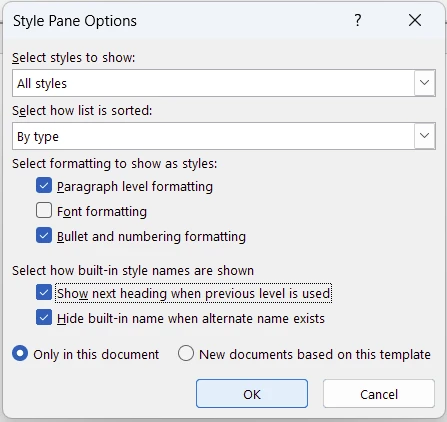
In addition to the classic inheritance of style or layout templates, it is also possible to inherit known as Style Pane Options. These are settings that control how styles are displayed in the Style Pane.
For example, with built-in styles (predefined Word styles), you can hide the default name and instead display the name defined in your custom style.
These options can be configured via the Style Pane Options menu. In Word, you can find this menu on the Home tab by clicking the small arrow in the bottom-right corner of the Styles group. This opens the Styles pane, where you can access the Style Pane Options dialog.
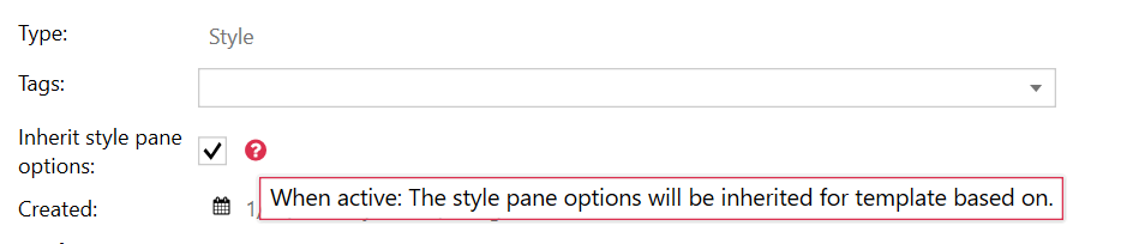
If a template should inherit the Style Pane Options from its parent template, this can be enabled in the style settings.
To do so, select the Inherit style pane options checkbox in the respective Style template.