Global Translations
All language-dependent texts (translations) that can be linked in XML configurations are stored in the Global Translations.
References
The translations are located in data sets (data tag), which in turn are located in groups (group tag). The content in a data set is linked in a configuration according to the following pattern:
{D/U[GroupName.DataName]}.
The language may depend on:
- Document language → "D" →
{D[GroupName.DataName]} - UI language → "U" →
{U[GroupName.DataName]}
Example
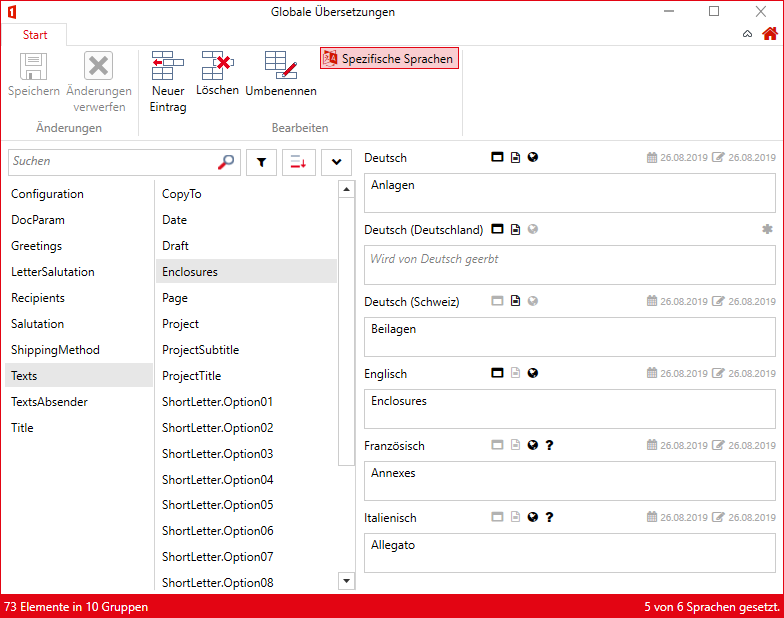
The globally stored record "Texts.Enclosures" contains different values depending on the language:
Screenshot
Underlying XML
<TranslationMap>
  <group name="Texts">
    <data name="Enclosures">
      <value lcid="07">Anlagen</value>
      <value lcid="2055">Beilagen</value>
      <value lcid="12">Annexes</value>
      <value lcid="09">Enclosures</value>
      <value lcid="16">Allegato</value>
    </data>
    [...]
  </group>
  [...]
</TranslationMap>
Translated texts cannot be inserted directly into templates.
In order for the texts to be used in the template, the references must always be inserted into a field or a script (classic):
This function is only available in primedocs templates. You can find more information here.
To access translations, the prefix translate- can be used in the respective document function. For example, in the document function Fields:
<FieldsConfiguration>
  <Fields>
    <Text Name="Page" translate-Value="Texts.Enclosures" />
  </Fields>
</FieldsConfiguration>
This function is only available in classic templates. You can find more information here.
The translated "Texts.Enclosures" record can now be linked in all XML configurations of the document functions. For example, in an enclosure script in the Scripts document function:
<CustomDataNode id="Enclosures">
<Line>
<Text>{D[Texts.Enclosures]}:</Text>
</Line>
<Line>
<Element id="DocParam.Enclosures" linePrefix="–	" />
</Line>
</CustomDataNode>
{D[Texts.Enclosures]} is now replaced with "Anlagen", "Beilagen", "Enclosures", "Annexes" or "Allegato" respectively, depending on the document language.
First, updated screenshot for the outdated documentation
![[Pasted image 20260119095324.png]]
Automatic Translations with AI
Prerequisites
- An AI endpoint must be configured in
primedocs.config. - The primedocs Client must be actively connected and online
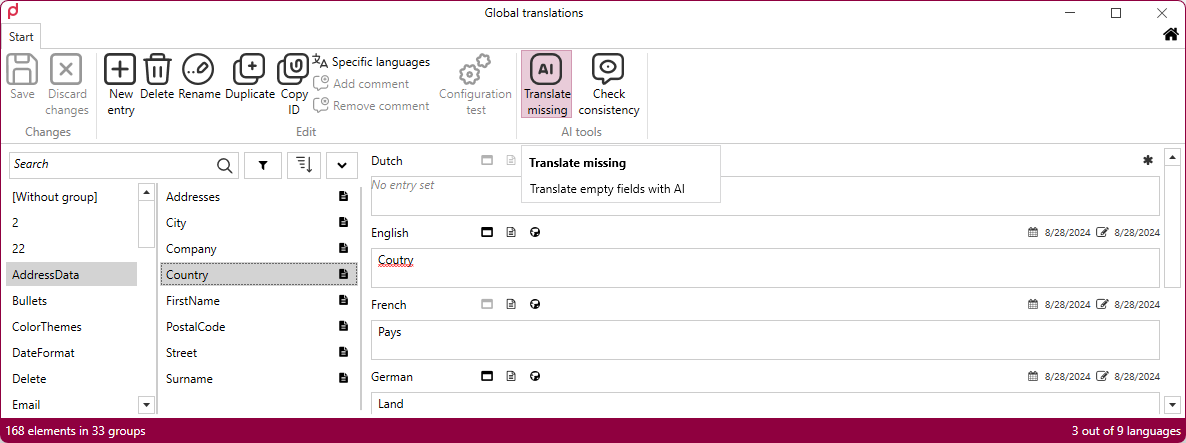
Under these conditions, additional buttons with the corresponding functions appear in the top right corner.
Functions
- Translate Missing: Sends the existing entries to the AI with the instruction to complete the empty entries. The first entry in the list is treated as the source of truth. All visible, empty fields will be filled in. Already filled fields are ignored.
- Check Translations: Sends the existing entries to the AI with the instruction to check them for correctness.
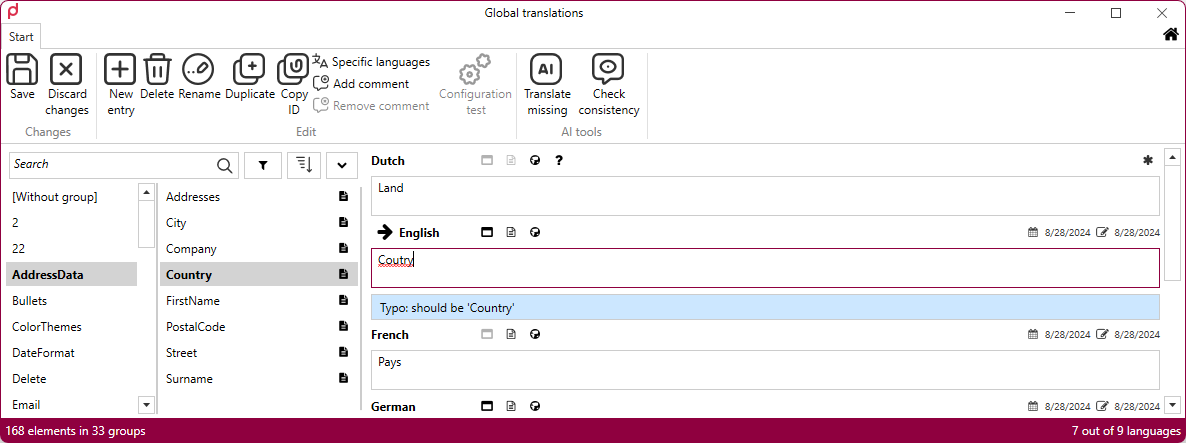
The status of AI operations is displayed in the bottom right corner.