Connected Services
A Connected Service is a configured external service that primedocs authenticates against on the user's behalf (e.g. via an OAuth login). Instead of storing credentials in individual configurations, the features reference a connected service through its ConnectedServiceKey. The user signs in once per service and the session is then reused.
Connected services are managed by the datasource administrator (name, key, endpoints). Each service has a unique Key, a display name, and a per-user sign-in state.
Configuration in the DataSource Admin
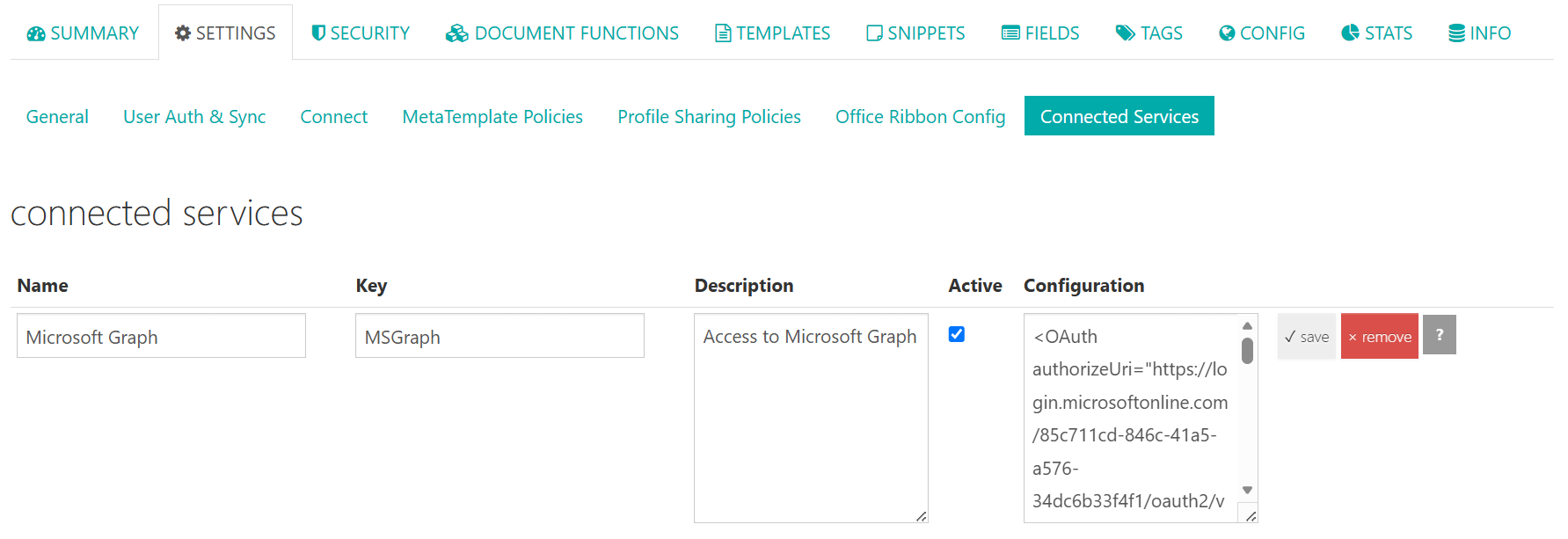
Connected services are managed in the DataSource Admin under Settings → Connected Services. The following fields are maintained per service:
| Field | Description |
|---|---|
| Name | Display name of the service. |
| Key | Unique key by which functions reference the service (ConnectedServiceKey). |
| Description | Optional description. |
| Active | Enables or disables the service. |
| Configuration | XML configuration of the service (e.g. <OAuth authorizeUri="…" …>). |
How it works (OAuth 2.0)
Connected services use the OAuth 2.0 authorization code flow:
- A feature (e.g. HttpDataProvider or an InvokeUrl command) references a connected service via
ConnectedServiceKey. - If the user is not yet signed in to that service, primedocs Web redirects them to the external service's authorization endpoint.
- After a successful sign-in, the service calls primedocs' callback URL; primedocs exchanges the code for an access token and stores it server-side per user and service.
- Subsequent calls reuse (or refresh) the stored token automatically.
Registration with the external service
When registering the primedocs application with the external service (e.g. as an app registration), the following redirect/callback URI must be configured:
https://{instanz}/app/web/connectedservices/connectedservice-oauthcallback
The OAuth state internally carries the correlation information so primedocs can map the callback to the right context:
| Field | Meaning |
|---|---|
LoginId | Identifies the signed-in user/login. |
ConnectedServiceId | The connected service involved. |
DataSourceId | The datasource (tenant). |
The connected services themselves (name, Key, endpoints, client id/secret) are configured in the dashboard by the datasource administrator.
"Login required"
When a feature accesses a connected service the user is not yet signed in to, primedocs Web shows a sign-in banner. Only after a successful sign-in is the action (e.g. document generation or data retrieval) carried out.
Usage
A connected service is referenced via the ConnectedServiceKey attribute. The following places support connected services:
| Used in | Description |
|---|---|
| InvokeUrl command | Authenticates the multi-step HTTP calls after document generation. |
| HttpDataProvider | Authenticates data retrieval from an HTTP/REST API. |
| Connect Session / Connect Session Templates | Authenticates a session's initializers and InvokeUrl commands — execution (/Execute) runs in the context of the signed-in user. |
<HttpDataProvider DisplayName="CRM" ConnectedServiceKey="Crm.OAuth">
  ...
</HttpDataProvider>
Using the access token
Within a configuration that references a connected service, the access token can be inserted via the {__ConnectedService.AccessToken__} placeholder — typically in the Authorization header. primedocs replaces the placeholder at runtime with the signed-in user's valid token:
<HttpDataProvider DisplayName="CRM" ConnectedServiceKey="Crm.OAuth">
  <Configuration>
    <Step>
      <Request Method="Get">
        <Url>https://crm.example.com/api/contacts</Url>
        <Header Name="Authorization" Value="Bearer {__ConnectedService.AccessToken__}" />
      </Request>
    </Step>
  </Configuration>
</HttpDataProvider>
System-reserved services
Certain services are reserved by the system and carry the _System. prefix (marked with a "System" badge in the UI). Currently:
| Key | Purpose |
|---|---|
_System.MIP | Microsoft Information Protection — retrieval of sensitivity labels. |
_System.MIP.Protection | MIP rights protection (Rights Management); prerequisite for EnableProtection of the MIP document function. |